How Breadstick Compares to Termux, UserLAnd, AnLinux and Andronix

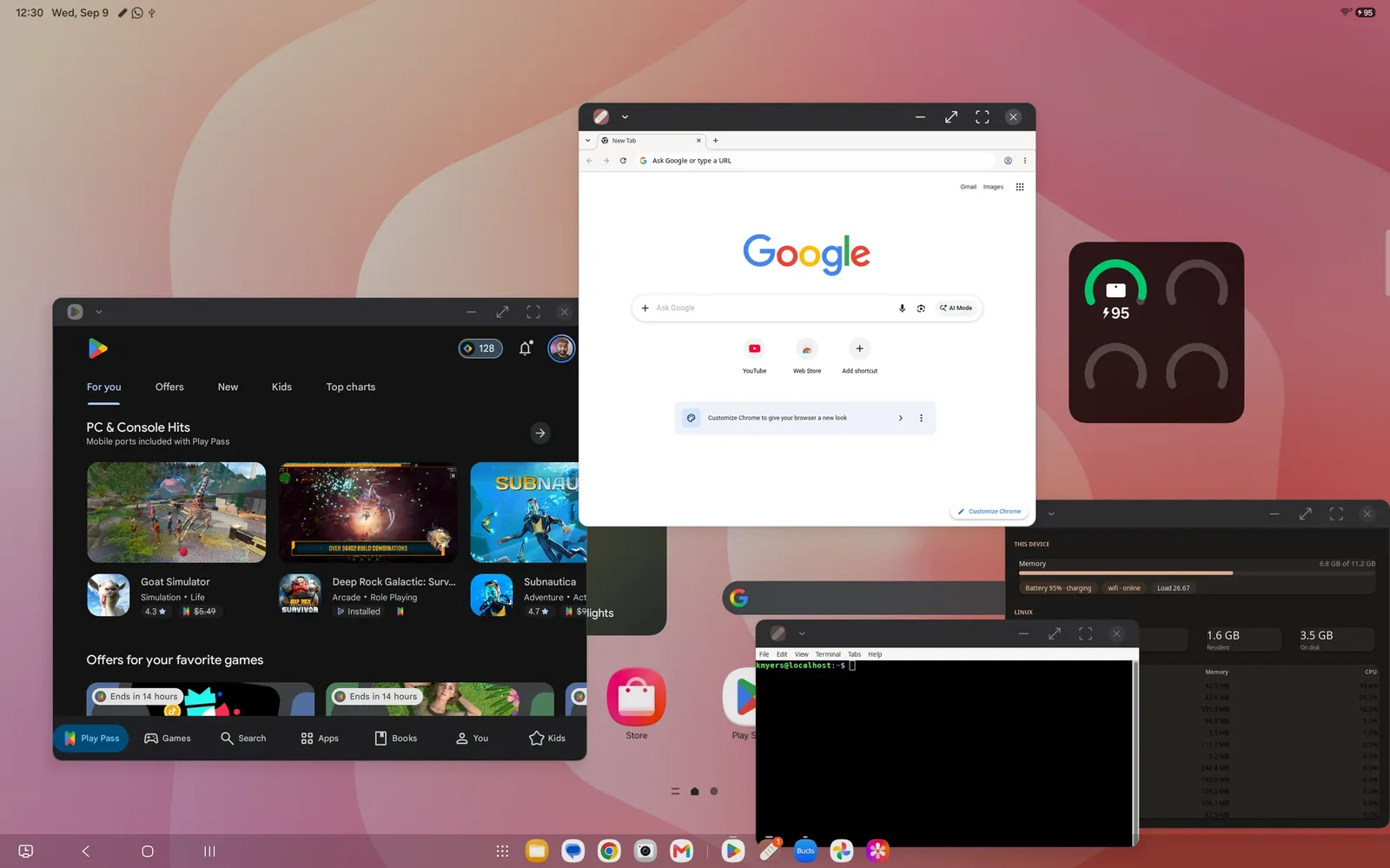
Running Linux on an Android phone or tablet without root is not new, and Breadstick did not invent it. Termux, UserLAnd, AnLinux and Andronix have helped a great many people put a real Linux system in their pocket, and each of them is very good at something. This is an honest look at all four: where they shine, where they differ, and why we think Breadstick is the best choice when what you want is Linux desktop apps on Samsung DeX or a big Android screen.
The short version
- Termux is the best terminal on Android, and the quickest way to run command-line tools.
- UserLAnd is the simplest way to get a whole Linux distribution from a single app.
- AnLinux and Andronix offer the widest choice of distributions, installed through Termux.
- Breadstick makes every Linux app a real Android window, with the setup, the desktop and the updates taken care of.
| App | What you install | Linux | Graphical apps | Price |
|---|---|---|---|---|
| Breadstick | One app, from Google Play | Debian | Built in: each app in its own window, or a full desktop | Free, with a one-time Pro upgrade |
| Termux | One app, from F-Droid or GitHub | Termux’s own packages, or a distribution through proot-distro | Termux:X11 or VNC, one window for all apps | Free |
| UserLAnd | One app, from Google Play or F-Droid | Ubuntu, Debian, Kali and others | A VNC viewer, one window for all apps | Free |
| AnLinux | AnLinux, plus Termux | Fourteen distributions | A VNC viewer, one window for all apps | Free |
| Andronix | Andronix, plus Termux | Eight distributions, plus paid Modded OS editions | A VNC viewer, one window for all apps | Free, with paid extras |
Termux
Termux is a terminal with its own collection of Linux packages, built specifically for Android. Because those packages run directly on Android, with no translation layer in between, they are fast, and the collection is enormous: shells, editors, compilers, Python, Node.js, Git, SSH and a great deal more. Add-ons such as Termux:API let your scripts reach Android features like the clipboard, notifications and sensors, and Termux:X11 adds an X server for graphical programs. Termux is free and open source, and its developers publish official builds on F-Droid and GitHub. The Google Play build is still experimental.
The trade-off is that Termux is not a standard Linux distribution. Software written for ordinary Linux sometimes has to be ported first, which is why many people add a full distribution on top with proot-distro. Graphical apps work, but you put the pieces together yourself, and everything appears inside one X server window.
UserLAnd
UserLAnd, from the team behind GNURoot Debian, is the most approachable of the traditional options. It is a single app on Google Play and F-Droid, free and open source, with no Termux required. Pick a distribution such as Ubuntu, Debian or Kali, or a ready-made app like Firefox or Octave, answer a few prompts, and UserLAnd downloads and sets everything up. It has a terminal built in, and for graphical apps it connects you to a VNC session.
That VNC session is the main difference from Breadstick. The Linux desktop lives inside a viewer app, so every Linux program shares that one window instead of getting its own.
AnLinux
AnLinux is a free, open source guide with buttons. Choose from a long list of distributions, including Ubuntu, Debian, Kali, Parrot, Fedora, Arch, Alpine and Void, and it gives you a script to paste into Termux, which downloads the system and starts it. There are scripts for desktops too, from Xfce and LXQt to KDE. It is light and transparent: you can read exactly what every step does before you run it.
You do need Termux alongside it, and you run and look after the setup yourself. The desktop is reached through a VNC viewer, so, as with UserLAnd, your Linux apps share a single window.
Andronix
Andronix is the most polished of the Termux-based installers. It offers Ubuntu, Debian, Manjaro, Fedora, Arch, Alpine, Void and Kali, with desktops such as Xfce, LXQt and LXDE, and keeps the commands and guides in one tidy, ad-free app. Its paid Modded OS editions go further, with tuned and preconfigured systems sold as a lifetime purchase.
Like AnLinux, Andronix runs your distribution inside Termux, and you reach the desktop over VNC, with a viewer of its own or any other you like. Your Linux apps live inside that desktop.
Breadstick
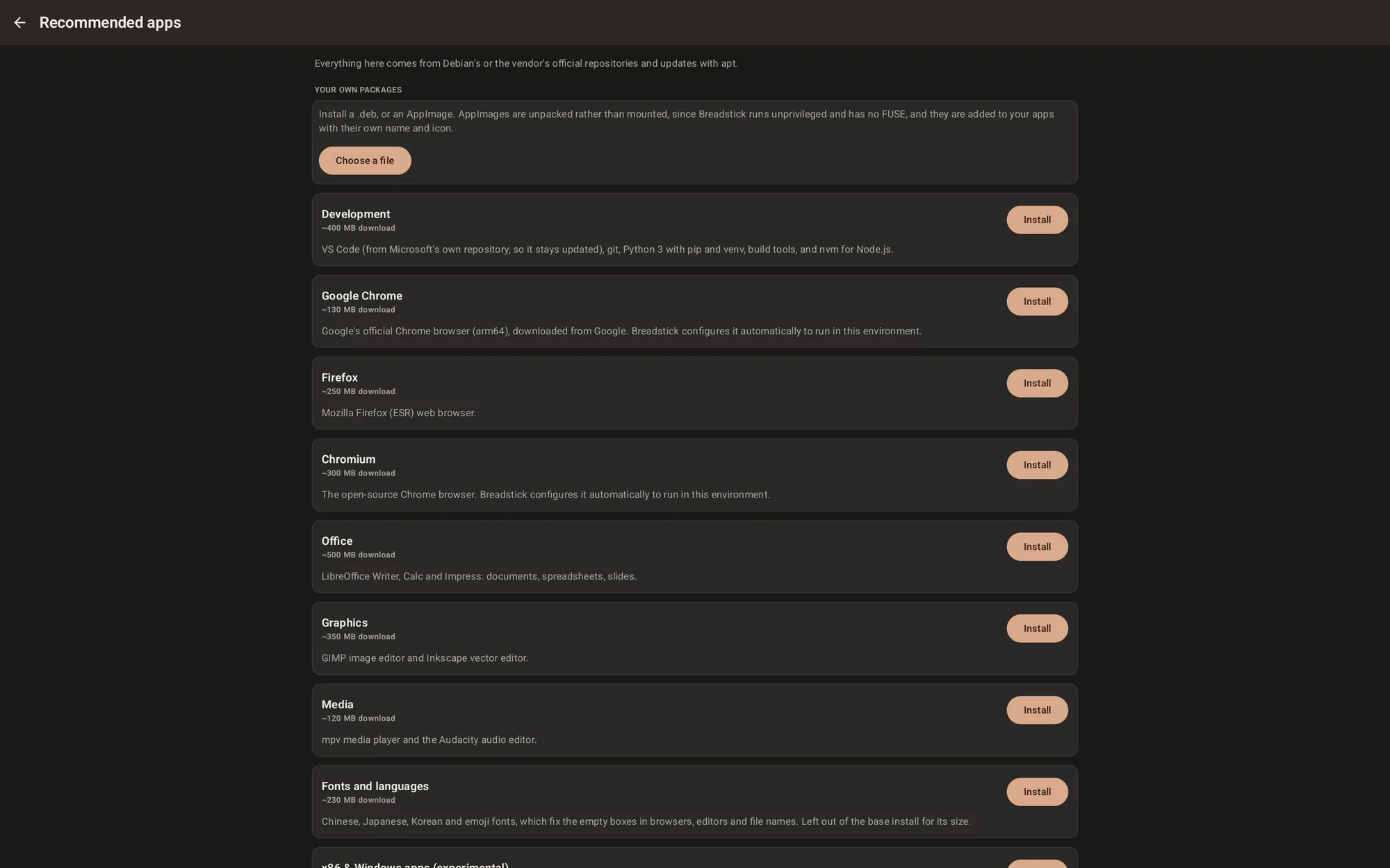
Breadstick also runs a real Linux system without root, and then does the rest for you. It is one app from Google Play. There is no Termux to install, no script to paste and no VNC server to set up: you pick a browser, and a few minutes later you have Debian with apt, ready to use. Recommended apps installs whole bundles with one tap, such as VS Code with Git and Python, LibreOffice, or GIMP and Inkscape. The app catalog lists the rest of Debian’s desktop apps.
The biggest difference is how Linux apps appear. Breadstick carries its own X server, and in Floating mode every Linux app becomes its own Android window, right beside your Android apps, with its own icon in the taskbar. On Samsung DeX, VS Code and Chrome from Linux sit next to Gmail and the rest of your Android apps as if they had always been there. When you want a traditional setup, Desktop mode gives you a complete Linux desktop, and the Breadstick Terminal is there when a shell is all you need.
Breadstick is also built into Android rather than sitting beside it. Your Android folders show up in Linux, the clipboard works in both directions, sound and the microphone work, web links open in your Android browser, and Linux follows your device’s time zone, language and dark mode. With Pro, your Android calendar and notifications appear on the Linux desktop. Updates take one tap, too: Breadstick Updates installs everything waiting, Breadstick’s own packages and Debian’s alike.
Where the others win
A fair comparison should say this part out loud.
- The command line. If you live in a terminal, Termux is lighter and faster than anything that runs a full distribution, Breadstick included.
- Choice of distribution. Breadstick is Debian only. If you want Arch, Fedora or Kali, AnLinux and Andronix have you covered.
- 3D graphics. Breadstick draws everything in software for now, so 3D apps and games are out until GPU acceleration arrives. Some Termux setups can already use the GPU on certain phones.
- Price. Termux, UserLAnd and AnLinux are free, and so are Andronix’s unmodded distributions. Breadstick is free for two floating apps at a time, and a one-time Pro upgrade removes the limits.
Breadstick also shares the limits of every Linux that runs without root: no Docker, no VPN clients inside Linux, no USB devices. Our documentation lists everything Breadstick cannot do, so you can check before you plan around it.
Which one should you choose?
If you want a terminal for scripts and remote servers, choose Termux. If you want to explore many distributions, try Andronix or AnLinux. If you want one distribution in one app with the least fuss, UserLAnd is a good place to start.
If you want Linux desktop apps that feel like they belong on your device, with every app in its own window, your Android files and clipboard at hand, and sound that just works, that is what Breadstick is for. And you do not have to pick only one: Breadstick and Termux install side by side.
Get Breadstick on Google Play, or start with the getting started guide. 🥖
Termux, UserLAnd, AnLinux and Andronix belong to their developers, and Breadstick is not affiliated with any of them. The details here come from each project’s own pages and store listings in September 2026. Samsung and DeX are trademarks of Samsung Electronics Co., Ltd.

Written by Keith I Myers
Creator of Breadstick
Keith builds Breadstick, the app that brings real Debian Linux apps to Samsung DeX as native windows.
All posts by Keith I Myers →