Samsung Took Away Linux on DeX, but Breadstick Brings It Back

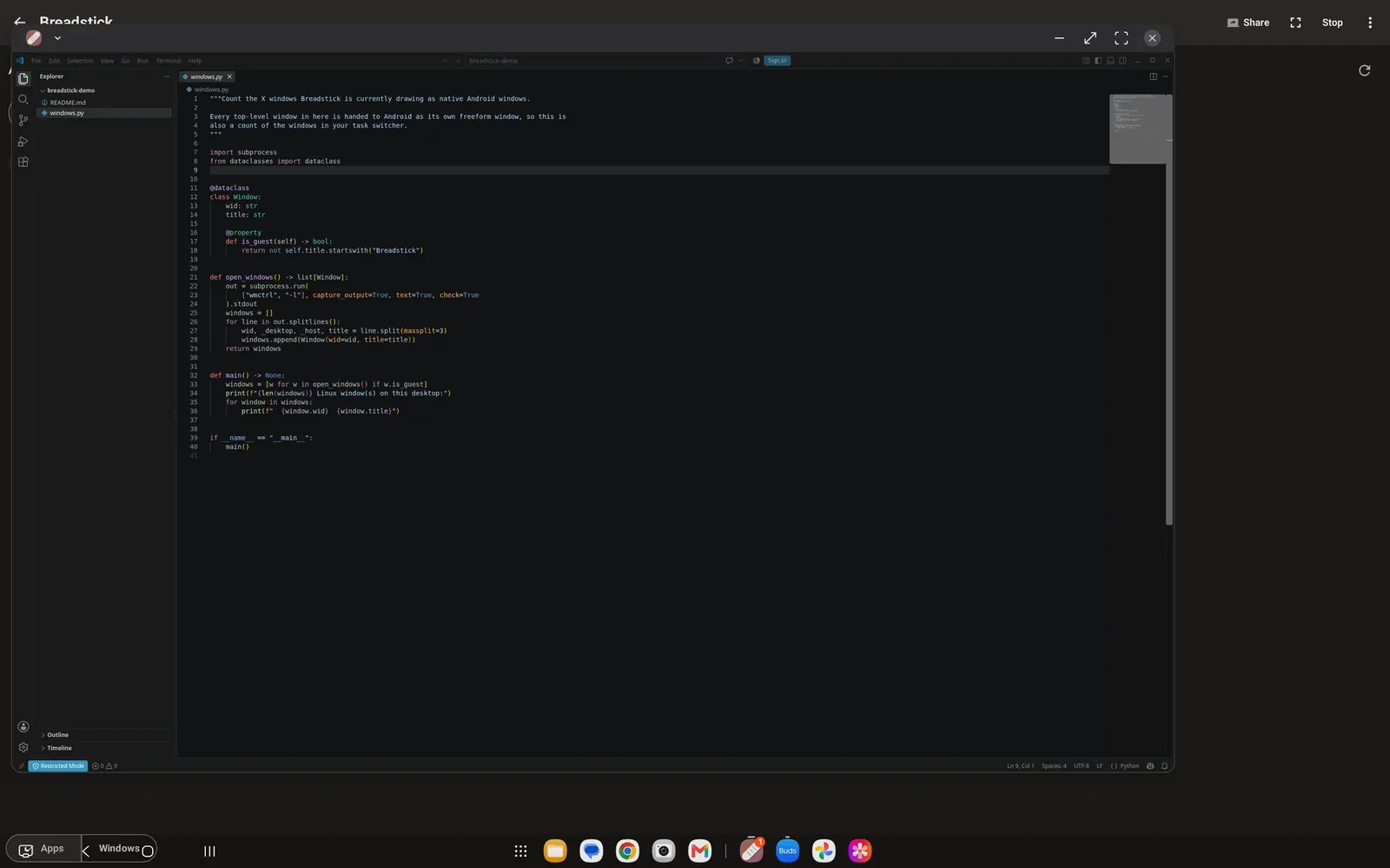
In 2018, Samsung shipped something unusual for a phone maker: Linux on DeX. Connect a Galaxy phone or tablet to a monitor, open the app, and you had a full Ubuntu desktop running beside Android. For developers it was a glimpse of the pocket workstation, one device for your apps, your code and your terminal.
It never left beta. When Android 10 arrived in 2019, Samsung ended the program, and Linux on DeX went with it.
What people did next
The demand did not go away. Since then, running Linux on DeX has meant stitching things together yourself: a terminal app, a chroot or proot distribution, a separate X server or VNC viewer, and a guide that was already out of date. It works, eventually, but every Linux app ends up trapped inside one viewer window, and none of it feels like it belongs on your device.
Breadstick brings it back
Breadstick is an Android app that runs real Debian Linux on Samsung DeX. There is no root, no sideloading and no second computer. You install it from Google Play, pick a browser, and a few minutes later you have a working Linux system.
It gives you three ways to work:
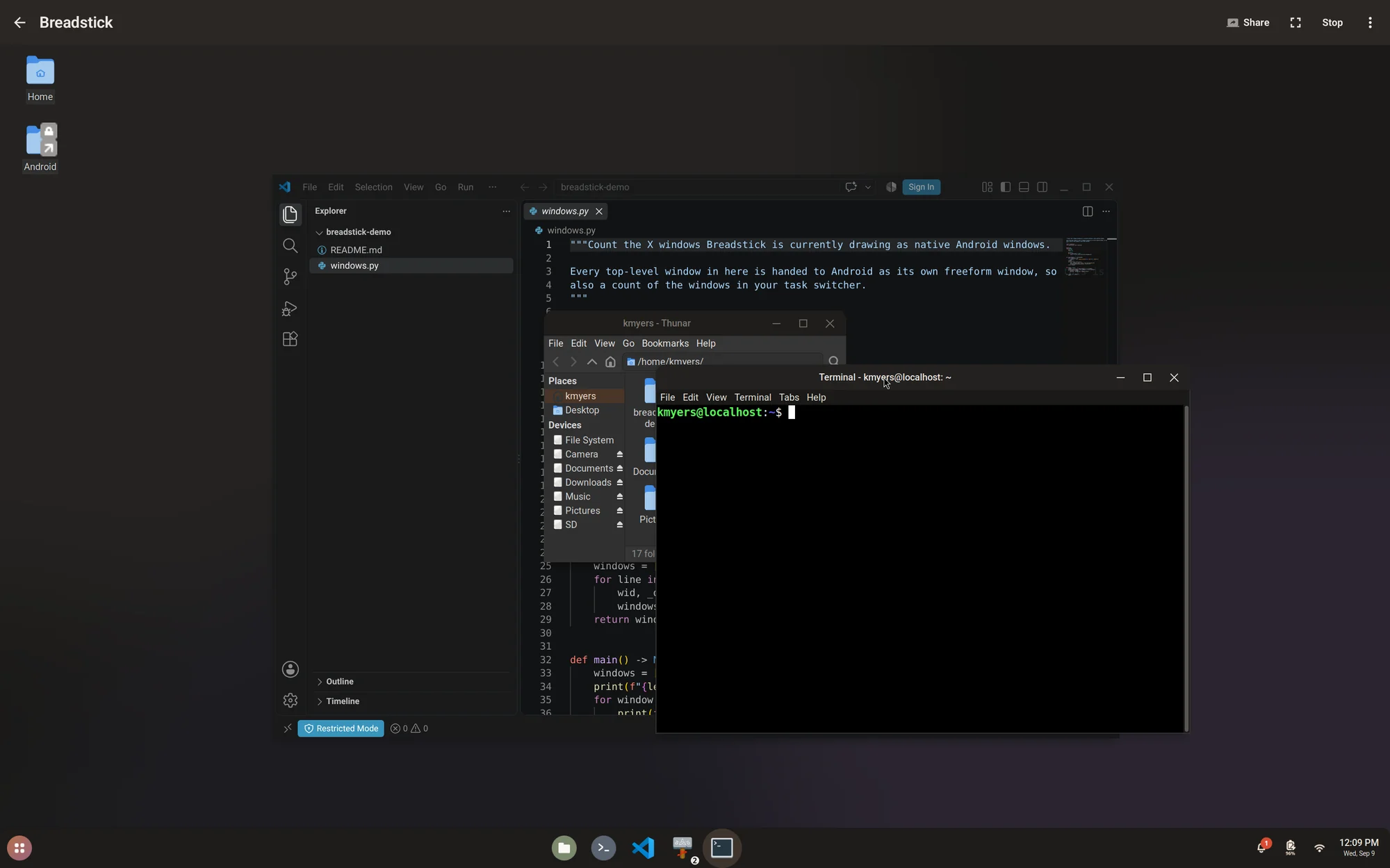
- Floating mode runs each Linux app as its own DeX window, right next to your Android apps. VS Code, Chrome, GIMP and a terminal each get a window you can move and resize like any other.
- Desktop mode gives you a complete Linux desktop, with a panel, an app launcher and a file manager, for when you want to work the traditional way.
- The Breadstick Terminal is a fast command line with tabs, for when a shell is all you need.
Built into your device
Unlike Linux on DeX, Breadstick is deeply integrated with your Android device. Your Android folders show up in your Linux home folder, the clipboard works in both directions, sound and the microphone work, and web links open in your Android browser. Linux follows your device’s time zone, language and dark mode, and with Pro, your Android calendar and notifications appear on the Linux desktop.
A real Debian system
Everything inside is ordinary Debian with apt, so the software you already know is one command away. The Breadstick app catalog lists Debian’s desktop apps and marks the ones tested on a device. Breadstick keeps its own pieces current through its package repository, alongside Debian’s security updates, so the system improves without reinstalling the app.
Under the hood, Breadstick carries its own X server and hands every Linux window to Android as a window of its own. It is the same idea that makes Linux apps feel at home on a Chromebook, and it is why they finally feel native on DeX.
Try it
Breadstick is free on Google Play, with two floating apps at a time, and a one-time Pro upgrade removes the limits. The documentation covers setup, the three modes, and what Breadstick can and cannot do.
Linux on DeX is back, and this time it does not stop at beta.
Samsung, Galaxy and DeX are trademarks of Samsung Electronics Co., Ltd. Breadstick is not affiliated with or endorsed by Samsung.

Written by Keith I Myers
Creator of Breadstick
Keith builds Breadstick, the app that brings real Debian Linux apps to Samsung DeX as native windows.
All posts by Keith I Myers →